When has a business outgrown its spreadsheets?
Short answer: When the file needs a person to explain it, when two copies disagree, or when checking the sheet takes longer than filling it in. Keep spreadsheets for analysis; move the daily work out.

Spreadsheets are not the problem
Almost every business we meet runs on spreadsheets, and most of them should keep doing so for something. A spreadsheet is flexible, cheap and understood by everyone. Trouble starts when a file meant for working out numbers becomes the place where daily work is recorded, checked and passed between people.
The signs you have outgrown one
- It needs a person to explain it. New staff cannot use the file until the one person who built it walks them through the tabs.
- Copies disagree. "Final", "final v2" and the one on someone's laptop all show different numbers.
- Checking takes longer than filling in. More time goes into finding mistakes than into entering the data.
- Nobody knows who changed what. A figure is different from yesterday and there is no way to see why.
- Everyone has full access. The clerk who keys orders can also see salaries or overwrite last month's totals.
- Reports are rebuilt by hand. Each week someone copies data from several files into one to produce the same report.
One or two of these is normal. Three or more on a file that runs daily operations means it has become the bottleneck.
What it looked like for one manufacturer
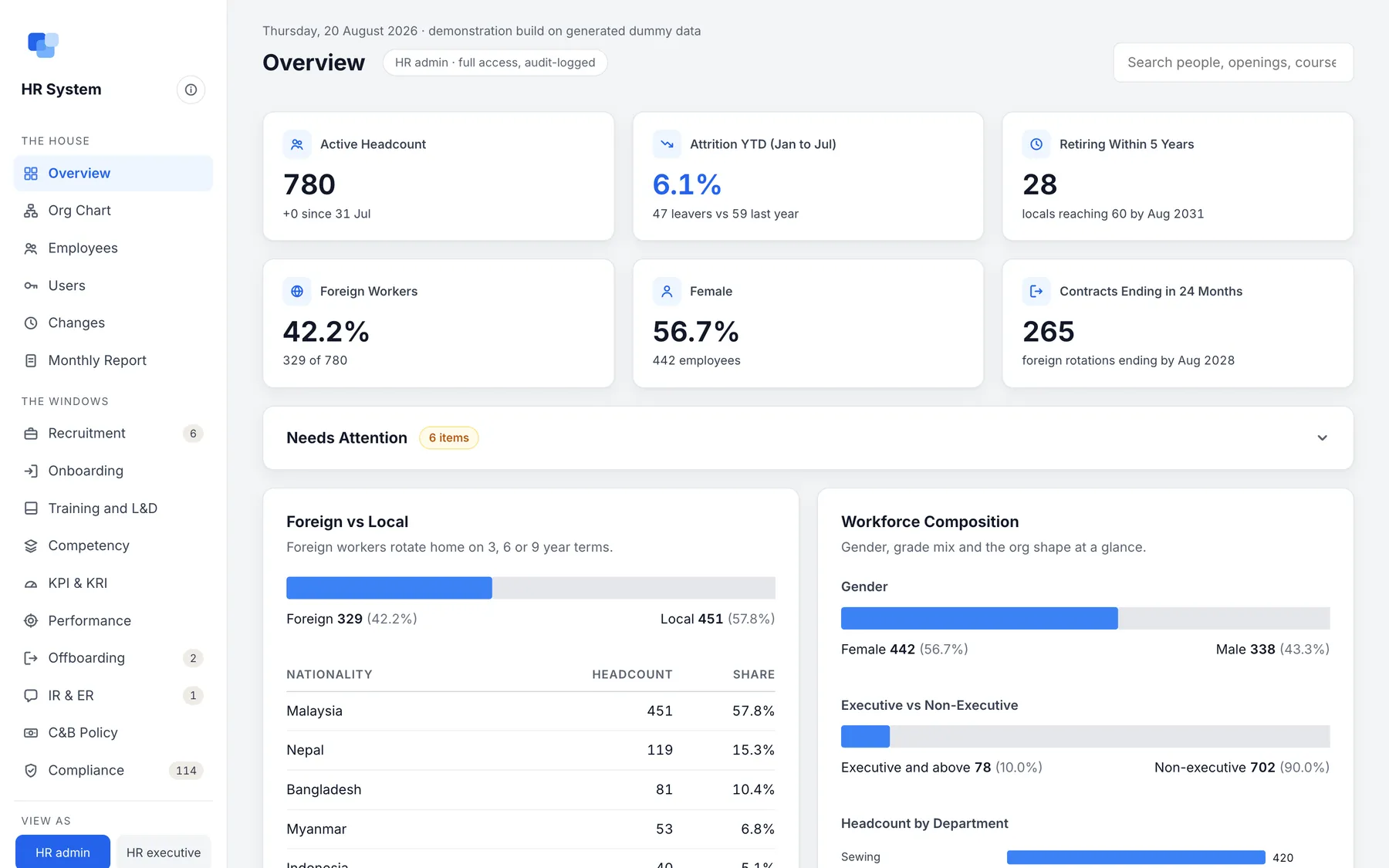
A manufacturer's HR team kept its people data in separate spreadsheets that did not agree with each other. The monthly headcount, attrition and leavers report took a night to put together, and contract renewals, missing successors and unsigned policies were tracked from memory, so they were found once they had already become a problem.
Once every person had one record, from job posting to exit clearance, the monthly board report started building itself.
What a system adds that a file cannot
- One live version. Everyone works on the same record, so there is nothing to merge.
- Checks at entry. A wrong amount or a missing field is stopped when it is keyed, not found later.
- Roles. Each person sees and changes only what their job needs.
- A history. Every change records who made it and when.
- Reports that build themselves. The weekly report reads the same records the team keys in.
What to move first
Do not try to move everything at once. Pick the one process where the file causes the most handoffs and corrections, usually orders, leave or receipts, and move that. Keep the spreadsheets for analysis and planning; they can still read from the new system.
Starting small also means you try a working version on your own data before committing to more.
Where to start this week
- List the spreadsheets your team opens every day, not every month.
- Next to each, tick the signs above that apply.
- The file with the most ticks is the first one worth replacing.
Filed under Any business, Manufacturing, Trading and distribution.
Questions people also ask
Should we stop using Excel completely?
No. Spreadsheets are excellent for analysis and one-off planning. The problem is running daily operations in them.
Is an off-the-shelf app enough?
Sometimes. If the app fits how you already work, use it. A custom system earns its cost when your process is what makes you different, or when several apps would need gluing together.
How long does moving one process take?
It depends on the process. Moving one well-understood process is a matter of weeks, not months, because it starts from a working base rather than a blank page.